
7. Workout Routines & Nutrition Diet Plans
•
4 min read
Creating Custom Workout Routines & Nutrition Diet Charts
Paper diet sheets get crumpled and forgotten. Techfeifan allows personal trainers to design custom digital exercise splits and nutrition plans delivered straight to members' smartphone web apps.
1
Step 1: Build Day-Wise Workout Splits (+ Create Workout)
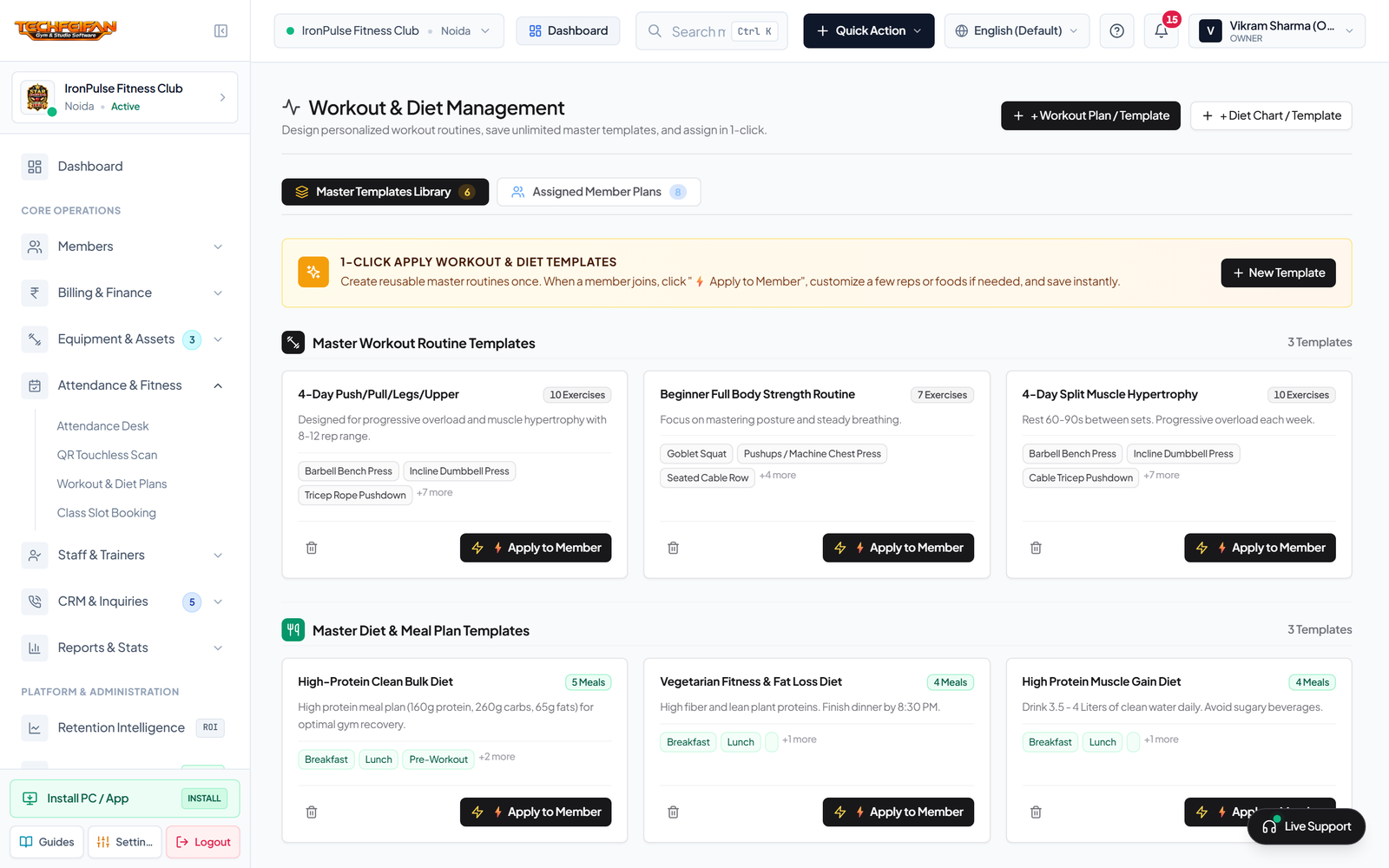
- In the left sidebar, open Attendance & Fitness -> Workout & Diet Plans (`/fitness`).
- Click + Create Workout Plan.
- Specify the Plan Title (e.g. *4-Day Hypertrophy Split*), Fitness Goal, Experience Level, and assign target members.
- Add exercises Monday through Saturday, configuring exact Target Sets, Repetitions, and Rest Intervals before saving.
Workout Routine Split Builder (Day-Wise Exercises, Sets & Reps)
View Full Screen
2
Step 2: Design Meal-Wise Nutrition & Macro Plans (+ Create Diet)
Click + Create Diet Plan. Enter daily target calories (e.g. `2,200 kcal`), macronutrient breakdown (Protein, Carbs, Healthy Fats), and outline meals across Early Morning, Breakfast, Pre-Workout, Post-Workout, Lunch, and Dinner. The plan synchronizes immediately to the member's Mobile Portal and can be shared over WhatsApp with 1 click.
Nutrition Diet Chart Builder (Meals, Calories & Macronutrient Breakdown)
View Full Screen
Previous Guide
Biometric Fingerprint & Turnstile Smart Gate API
Next Guide
Zumba, Yoga, Spin & CrossFit Slot Booking & Waitlist
Was this step-by-step visual guide helpful?