
6. Attendance, QR Kiosk & Smart Gate Access
•
4 min read
Manual Attendance Desk & Touchless QR Camera Kiosk
Techfeifan provides three flexible attendance methods: 1-Tap Front Desk check-in, Touchless QR Camera Scanning, and Biometric Turnstile Gate API integration.
1
Step 1: Front Desk 1-Tap Attendance Check-In
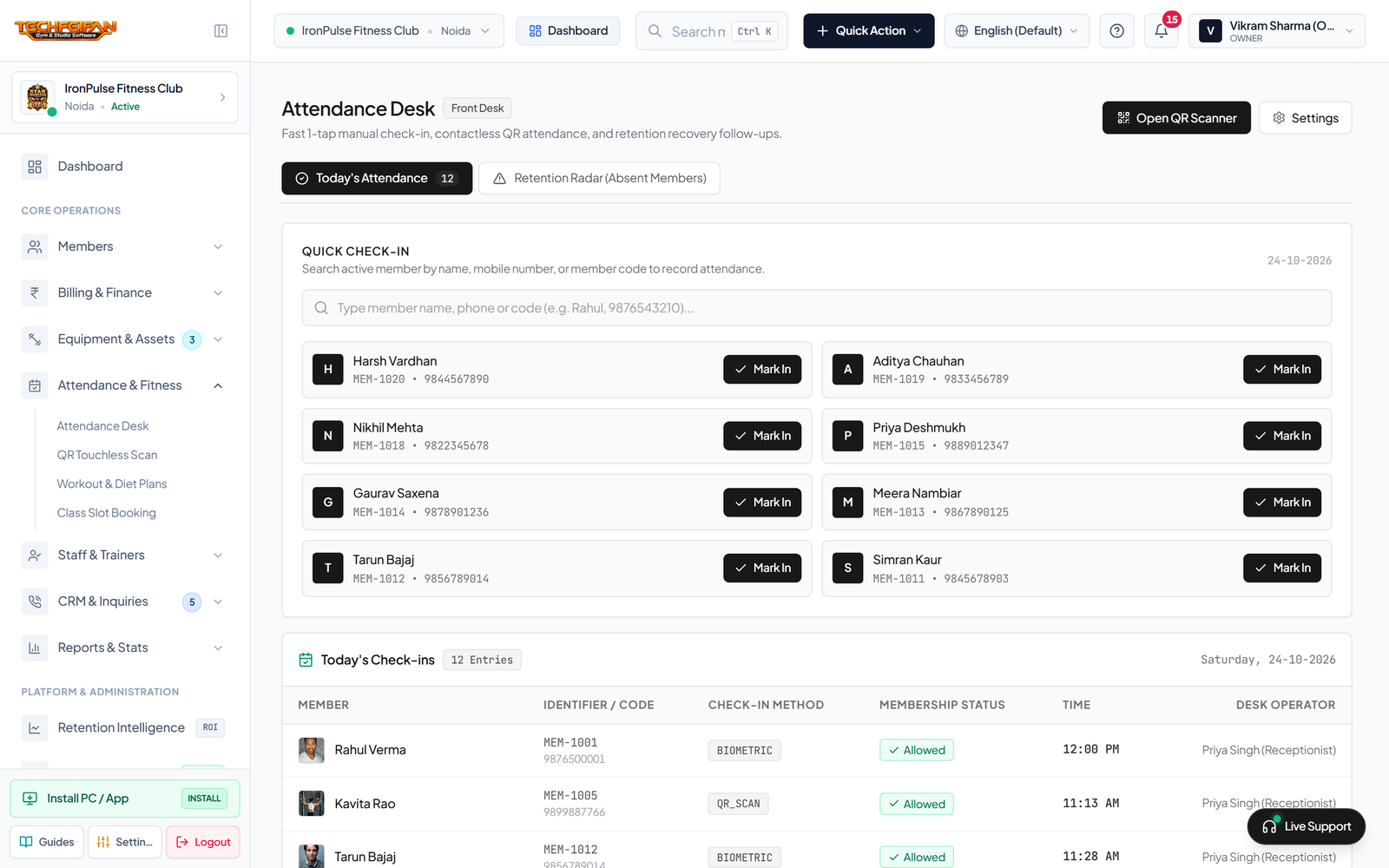
Open Attendance & Fitness -> Attendance Desk. Type the member's name or unique code (`MEM-1001`) in the rapid search field and click Check-In. The live feed logs their entry time instantly and updates today's gym occupancy counters.
Pro Tip: Anti-Duplicate Debounce Guard (Rule 15): If a member attempts to check in again within 5 to 10 minutes, the system prevents duplicate entries and returns a polite notice: *"Already checked in at [Time]. Have a great workout!"*
Front Desk Attendance Desk & Real-Time Check-In Log
View Full Screen
2
Step 2: Touchless QR Camera Kiosk (0.2s Scan Verification)
Click on Attendance & Fitness -> QR Touchless Scan to activate kiosk mode on your reception tablet or webcam. When a member presents their dynamic QR Pass from their phone:
- Active Membership: Green verification screen + audio chime + member portrait display + days remaining.
- Expired / Pending Due: High-contrast Red Alert screen + audio buzzer alert instructing the member to settle fees at the counter.
Touchless QR Camera Kiosk Scanner (Verified Green vs Overdue Red)
View Full Screen
Previous Guide
Gym Expenses & Equipment Assets Tracker
Next Guide
Biometric Fingerprint & Turnstile Smart Gate API
Was this step-by-step visual guide helpful?